How to trigger the Metric Pipeline from CLI.#
What you need to know about Metric Pipeline:#
You need a git repo for pipe provisioning. In case you have a mounted pipes folder, you can omit the cluster configuration for the git repo.
If you have already another git repo configured, and it contains the metrics pipe, then you can also omit it and just correctly name the pipe in PIVEAU_HUB_SYSTEM_PIPES.
The hub-repo must have the following configs. The values are just examples.
 PIVEAU_CLUSTER_CONFIG: |-
  {
    "pipeRepositories": {
      "system": {
        "uri": "https://gitlab.com/piveau/myproject/pipes/system-pipes.git",
        "username": "gitlab+deploy-token-name",
        "token": "yourtoken",
        "branch": "main"
      }
    }
  }
 PIVEAU_HUB_SYSTEM_PIPES: |-
  [
    {
      "name": "metrics",
      "runOnHidden": false,
      "config": {
        "filters": {
          "resourceTypes": ["http://www.w3.org/ns/dcat#Dataset"]
        }
      }
    }
  ]
 PIVEAU_HUB_VALIDATOR: |-
  {
    "enabled": true
  }
Warning
Do not rely on PIVEAU_HUB_VALIDATOR.metricsPipeName any more. It is deprecated, and in hub-repo 4.x the resource
endpoints ignore it, so no metrics pipe is launched for resources stored through them. See
Metrics setup.
The metrics pipe pipe-metrics.json in your git repo describes each service, and you have to adjust each service name.
{
  "header": {
    "id": "7dbcff70-6bd5-495a-b7a1-3c139f86533d",
    "name": "metrics",
    "title": "System Metrics",
    "context": "somecontext",
    "transport": "payload",
    "version": "2.0.0"
  },
  "body": {
    "segments": [
      {
        "header": {
          "name": "piveau-metrics-validating-shacl",
          "segmentNumber": 1,
          "title": "Metrics SHACL validation",
          "processed": false
        },
        "body": {
          "config": {}
        }
      },
      {
        "header": {
          "name": "piveau-metrics-annotator",
          "segmentNumber": 2,
          "title": "Metrics annotations",
          "processed": false
        },
        "body": {
          "config": {}
        }
      },
      {
        "header": {
          "name": "piveau-metrics-accessibility",
          "segmentNumber": 3,
          "title": "Metrics accessibility",
          "processed": false
        },
        "body": {
          "config": {}
        }
      },
      {
        "header": {
          "name": "metrics-piveau-metrics-score",
          "segmentNumber": 4,
          "title": "Metrics scoring",
          "processed": false
        },
        "body": {
          "config": {}
        }
      },
      {
        "header": {
          "name": "piveau-consus-exporting-hub",
          "segmentNumber": 5,
          "title": "Exporting hub",
          "processed": false
        },
        "body": {
          "config": {}
        }
      }
    ]
  }
}
How to launch the pipe:#
You launch the pipe with hub-repo CLI. Put the following Environment in your hub-repo service to accessing the CLI.
Create a route to the CLI port 8085, Then to can access the CLI over http://piveau-hub-repo:8085/shell.html
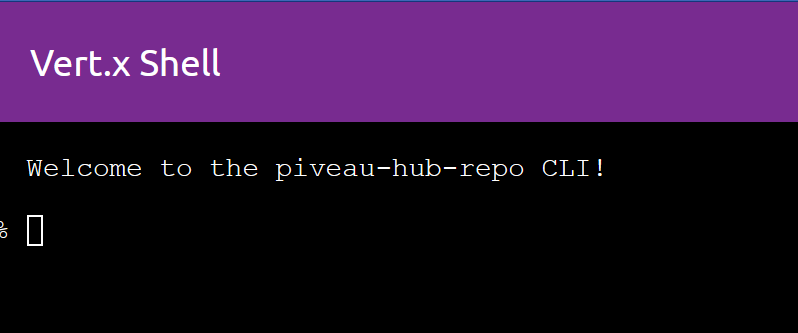
Start the pipe with the CLI command:
Collecting quality metadata takes time, depends on count of your datasets. After that, you have to refresh your metrics-cache.Use this command to force the refresh